QUICK CHARGE - A 30 minute charge gives you up to 28 hours operation
LARGE CAPACITY - 6000mAh/76.8Wh
Input 12 V–17 V. Output 11 V–14.5 V / 2 A (max)
Includes both Cigarette Lighter Adapter and Hardwire Cable
HIGH TEMPERATURE CUTOFF - 80°C (176°F)
Enjoy Parking Mode for Extended Periods of Time Keep your Car’s Battery Safe from Discharge
The high capacity of the Power Magic Ultra Battery (6000 mAh) makes it ideal for long Parking Mode sessions.
It charges fast, powers your dashcam for longer, and comes with a free Bluetooth app to manage battery status and settings.
Connect it the way you want
Hardwired or connected to a cigarette lighter power socket.
The Power Magic Ultra Battery can be simply connected to a cigarette lighter socket: it will then take about 80 minutes to reach a full charge when ignition is on.
It can also be hardwired to your vehicle’s battery via the fuse box. In this case, it will charge in under 40 minutes.
NOTE: make sure to toggle the switch at the back of the battery to match your installation (Cigarette or Hardwired).
Check battery status with the free Battery Manager app
The Power Magic Ultra Battery can communicate with the Battery Manager app via Bluetooth.
Check easily information like remaining capacity or time to full charge.
Need more power? Add an Expansion Battery!
The Power Magic Expansion Battery more than doubles your capacity.
You can even add more than one expansion in sequence.
FAQs
Is this battery different from a regular power bank?
Yes indeed! The Ultra Battery is made of Lithium Iron Phosphate cells (LiFePO4). Power banks designed as backup batteries for phones and portable electronic devices are usually of the Lithium-ion (Li-ion) or Lithium-polymer (LiPo) type. Those high-density batteries are not suitable for use in a closed parked vehicle (where temperature can reach high–and low–levels) as they risk causing fire or explosion. LiFePO4 batteries can sustain more extreme temperatures, more charge cycles and are also more environment-friendly.
I have this 10,000 mAh power bank that is much smaller than this 6,000 mAh battery. What gives?
mAh can be misleading if we don’t consider voltage. Tip: think in terms of Watt-hours (Wh). Of course the type of battery should be taken into consideration: high power density batteries have higher capacity for a given volume. In other words, at same capacity, a Li-ion or LiPo battery will always be smaller than a LiFePO4 battery. Still, you should keep in mind that consumer electronics and car accessories assume different voltage values. The milliamp rating of power banks is usually based on a voltage of 3.7V. This means for a 10,000 mAh battery, the total capacity is 10,000mAh x 3.7V / 1,000 = 37Wh. By way of comparison, the Power Magic Ultra Battery has a capacity of 6,000mAh at 12.8V, which translates into 76.8Wh.
Can I use Power Magic Ultra Battery in a commercial truck?
Probably not. B-124 is compatible with 12V systems only, which comprises most individual vehicles. If your vehicle uses a 24V system (commercial truck, heavy vehicle), consider using a Power Magic Pro or Power Magic Battery Pack.
Can I bring the Power Magic Ultra Battery on a plane?
Yes, in carry-on luggage, in theory. But since batteries can be sensitive items to bring on an airplane, check with your local operator to be on the safe side. According to the IATA (International Air Transport Association) spare batteries under 100Wh can be carried on a plane in a carry-on luggage–NOT in checked luggage–like most lithium batteries, without requiring the operator’s approval.
HIGH-CAPACITY BATTERY FOR DASHCAM PARKING MODE FAST-CHARGING. LONG-LASTING. CONNECTED. Power Magic Ultra Battery recharges with ignition on and powers your dashcam when ignition is off.
Fast-Charging: the Power Magic Ultra Battery reaches a full charge in a record 40 minutes when hardwired (80 minutes if connected to the cigarette lighter socket). Long-lasting: Parking Mode can last more than 24 hours with a single-channel BlackVue. Connected: compatible with the free BlackVue Battery Manager app.
SIMPLE OR HARDWIRED INSTALLATION FOR PLUG-AND-PLAY OR PROFESSIONAL INSTALLATION The Power Magic Ultra Battery supports two charging modes.
Simple installation:
Just plug the battery into the cigarette lighter socket of your vehicle.
Charging current: 5A – Charging time: approx. 80 minutes.
Hardwired installation:
For fastest charging speed, connect the battery to the fuse panel.
Charging current: 9A – Charging time: approx. 40 minutes.
12V/24V COMPATIBILITY, USB POWER OUTPUT USE IN ANY VEHICLE. CHARGE YOUR ACCESSORIES. 12V/24V compatibility: the Power Magic Ultra Battery (B-124X) supports both 12V and 24V electrical systems. This means it is compatible with most individual and commercial or heavy-duty vehicles on the market.
5V USB (2A max): with its USB power output, you can charge any accessory, such as a phone or a Wi-Fi hotspot to keep your Cloud dashcam connected while in Parking Mode.
BATTERY MANAGER APP SUPPORT CHECK DETAILED BATTERY INFORMATION FROM YOUR PHONE
Power Magic Ultra Battery supports Bluetooth for compatibility with the free dedicated BlackVue Battery Manager app (iOS/Android).
When charging, the app displays charge percentage, charging voltage and expected remaining time until full charge.
When ignition is off, the app informs you of the expected Parking Mode remaining time until depletion, based on the dashcam’s power consumption.
EXPANSION BATTERY FOR DOUBLE CAPACITY CONNECT ONE OR MORE EXPANSION BATTERIES Expansion Battery port: you can connect an Expansion Battery to the Power Magic Ultra Battery to more than double your capacity and Parking Mode time.
The Expansion Battery (B-124E) can store up to 6600mAh of power, so 10% more power than the Ultra Battery.
Multiple Expansion Battery units can be connected in sequence to provide even larger capacity.
POWER YOUR BLACKVUE IN PARKING MODE
With Power Magic Ultra Battery you get amazing autonomy in Parking Mode, without ever drawing power from your car’s battery.
BlackVue dashcams automatically switch to Parking Mode to monitor your parked vehicle, but only writes to the memory card when something happens (motion or impact detected), which has two benefits:
Less chance for important files to be overwritten during long Parking Mode sessions.
Dual STARVIS™ sensors in Full HD 1080p (front 60 / rear 30 frames per second).
Seeking a dual-camera system that does not compromise on fidelity?
Look no further.
Record fluid videos of the front and back of your car at a wide 139° view angle.
STARVIS imaging sensors are a reference in video clarity under low light, and they equip both the front and rear cameras of the DR750S-2CH. You can rest assured that your dashcam will capture critical details whether you are driving or letting your BlackVue monitor your parked vehicle.
With the free Over the Cloud add-on service, check on your car from anywhere, anytime.
BlackVue DR750S/DR650S and Power Magic Battery Pack Install
BlackVue Over the Cloud G
BUILT-IN IMPACT & MOTION DETECTION
MARK IMPORTANT FILES AND ENABLE PARKING MODE
While driving, your BlackVue detects impacts and sudden changes in speed. While parked, it also detects movements*.
Videos files are marked accordingly so that you can easily find the relevant ones in the BlackVue Viewer for Windows and Mac OS or the BlackVue App for Android and iOS.
(*) For Parking Mode recording, an external battery pack (Power Magic Battery Pack) or a hardwiring kit (Power Magic Pro) is required. Learn more about Parking Mode.
BLACKVUE APP (IOS, ANDROID) AND VIEWER (WINDOWS/MAC)
EASILY MANAGE YOUR VIDEO FILES
Both the BlackVue App and Viewer are free to download and use.
They let you easily change your BlackVue configuration settings and browse through your videos in an intuitive way.
With the BlackVue App, connect to your BlackVue in Wi-Fi to access files and check realtime Live View for easy setup and positioning of your dashcam.
SLEEK DESIGN AND CONTROLS
MULTIFUNCTION BUTTON AND CUSTOMIZABLE PROXIMITY SENSOR
BlackVue DR750’s stealthy design incorporates easy access to useful functions. Proximity sensor: toggle audio recording ON and OFF by simply waving your hand in front of it. The sensor can also be configured to trigger Manual Event videos in the settings. Wi-Fi button: turn Wi-Fi ON/OFF (short press), reset your Wi-Fi password (hold until voice prompt, then short press) or format the microSD card (hold until voice prompt, and then hold again). All actions are confirmed by a voice prompt.
BUILT-IN WI-FI AND GPS
GPS ADDS LOCATION AND SPEED DATA TO YOUR VIDEOS
Speed: speed data will be overlaid in the video (can be turned off in the settings).
You can choose to display the speed in Kilometers per hour (Km/h) or Miles per hour (Mph). Location: you can visualize the location of your vehicle in the BlackVue Viewer’s Map during video playback.
CONNECT TO YOUR DASHCAM WITH YOUR PHONE
Wi-Fi lets you connect to your BlackVue with a smartphone or tablet. Wi-Fi also lets your BlackVue connect to BlackVue Over the Cloud via any home or mobile Wi-Fi hotspot (router).
OPTIMIZED FILE MANAGEMENT
Event Files Overwrite Protection:
Dashcams record in a loop, overwriting older files when the memory is full. BlackVue DR750S-2CH can prevent Event files (triggered manually or by impacts) overwriting. Up to fifty (50) files can be protected this way. You can choose to allow new Event files to overwrite past Event files, thus keeping the latest fifty.
Adaptive Format-Free File Management
Developed by BlackVue, this file system improves recording stability and reduces the need for microSD card formatting, while giving you the flexibility to change recording time unit (1/2/3 minutes) and quality settings. Still, the videos saved are playable on most viewers.
Scheduled Reboots (see Parking Mode section below)
HIGH FRAME RATE FOR EXTRA FLUIDITY
THE ADVANTAGE OF 60FPS VIDEO CAPTURE
The front-facing camera records extra fluid videos at 60 frames per second, keeping all details sharp even in fast action. With 60fps, motion blur is much reduced compared to 30fps. That means your BlackVue can better capture details–like license plates–even in fast-moving objects.
Note 1: the higher the image quality setting, the higher the bitrate and the bigger the file size. A bigger size will increase the time necessary to transfer a video file over Wi-Fi. Note 2: Remote Live View using BlackVue Over the Cloud is not affected by the image quality and framerate settings.
BLACKVUE OVER THE CLOUD
ME AND MY CAR. CONNECTED.
Connect to your BlackVue anytime, from anywhere in the world with BlackVue Over the Cloud.
Enjoy remote Live View and Push Notifications to your phone.
Back up important videos to the free Cloud storage.
Play and download videos from your dashcam’s memory or the Cloud from anywhere.
Enjoy Two-way Voice Communication with the driver from the app through the BlackVue’s integrated speaker and mic. Check the BlackVue Over the Cloud pagefor more information.
TAMPER-PROOF CASE (OPTIONAL)
The BlackVue Tamper-Proof Case is a security accessory for BlackVue DR650S Series dashcams. It blocks physical access to the microSD card slot, and prevents unplugging the power and coaxial cables, thus highly reducing risks of data tampering.
The Sony STARVIS™ image sensors that equip both the front and rear cameras of the DR750S-2CH deliver outstanding low-light performance.
For those who want even more brightness in dark environments, the DR750S-2CH features Enhanced Night Vision.
When activated, it boosts the ISO sensitivity in low light without blowing up the highlights in bright surroundings.
Even with Night Vision OFF, the STARVIS sensor outperforms regular CMOS sensors as you can see in the comparison shots below:
Rest easy, knowing that your car is being monitored while you are away.
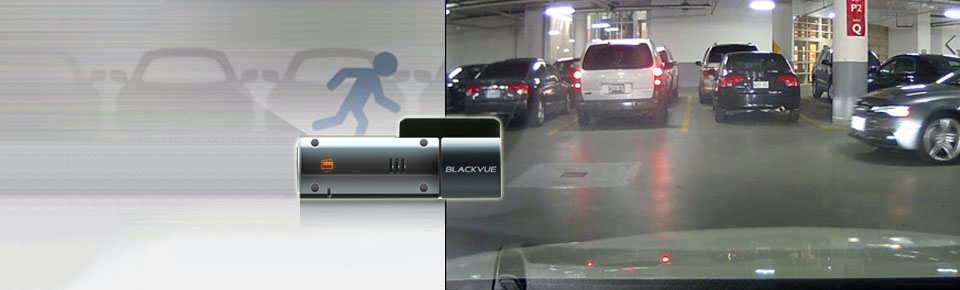
BlackVue automatically switches to Parking Mode to monitor you parked vehicle, but only writes to the memory card when something happens (motion or impact detected).
Thanks to the video buffer, the few seconds leading to the triggering event are also recorded.
Scheduled Reboot:
Electronic recording devices can benefit from restarting between long recording sessions. When hardwiring a dashcam for Parking Mode, it may stay on for days. In some extreme cases, unexpected errors can occur. To avoid this, the DR750S Series features the option to schedule a daily automatic reboot (by default in the middle of night) to minimize potential errors.
Reboots can happen only when the dashcam is in Parking Mode and not writing any data to the microSD card. This means no Normal driving, Event, or Parking Mode recording will be interrupted by a scheduled reboot.
Super stealthy:
BlackVue DR750S Series allows you to completely turn off all LED indicators in Parking Mode. Only the recording LED indicator facing the interior of the vehicle will blink when motion or impact is detected.